How to Hire a Webflow Developer in 2026 (Without Wasting 3 Months)
Hiring a Webflow developer? Follow this step-by-step guide to define the role, write a strong job post, screen candidates, and make a quality hire in weeks.
· Flowroles
Hiring a Webflow developer? Follow this step-by-step guide to define the role, write a strong job post, screen candidates, and make a quality hire in weeks.
· Flowroles
Hiring a Webflow developer is harder than it sounds. The platform has a devoted professional community, but it's also produced a long tail of people who list "Webflow" on their CV after watching a few tutorial videos.
Companies that get this hire wrong typically do so in one of two ways: they move too fast and skip the vetting that would have revealed a poor fit, or they move too slowly: posting on the wrong platforms, writing vague job descriptions, and spending three months in a hiring loop while their website project stalls.
This guide walks you through every stage of the process: defining what you actually need, writing a job post that attracts the right candidates, structuring your screening and assessment, and making an offer. If you follow it, you should be able to make a quality hire in four to six weeks.
The first mistake companies make is writing a job description before they've answered the fundamental question: what kind of Webflow work is this person going to do?
Webflow professionals specialise. Some are primarily designers: they're exceptional at visual layout, animations, and brand translation into the browser. Others are more developer-minded: they write custom code, connect APIs, build complex CMS architectures, and handle logic with Webflow's native tools or integrations.
Before you write a word of the job description, answer these questions: Will this person be building new sites or maintaining existing ones? Do you need someone who can design or just build? How technically complex is your Webflow build: does it involve custom JavaScript, third-party integrations, or Webflow Logic? Is this a one-time project or an ongoing role? Full-time, part-time, or contract?
Your answers will determine whether you need a designer, a developer, or someone in between, and whether freelance or full-time is the right model for this role.
Vague job descriptions attract vague applicants. If your post says "looking for a Webflow expert for our website," you'll get a mix of beginners, generalists, and people who once built a landing page in 2021.
A strong Webflow job description includes: a brief description of your company and why someone would want to work there; a clear description of the types of projects the role involves (not a wish list of every skill you can think of); the specific Webflow features they'll be working with (CMS, custom code, Webflow Ecommerce, Logic, etc.); the tools they'll collaborate with (Figma, Zapier, Google Analytics, Notion); and the employment type, location expectations, and a salary range or ballpark rate.
Including a salary range is worth emphasising separately: job listings with salary ranges get significantly more qualified applicants. Webflow developers know their market rate: if you don't publish yours, many will assume it's below market and move on.
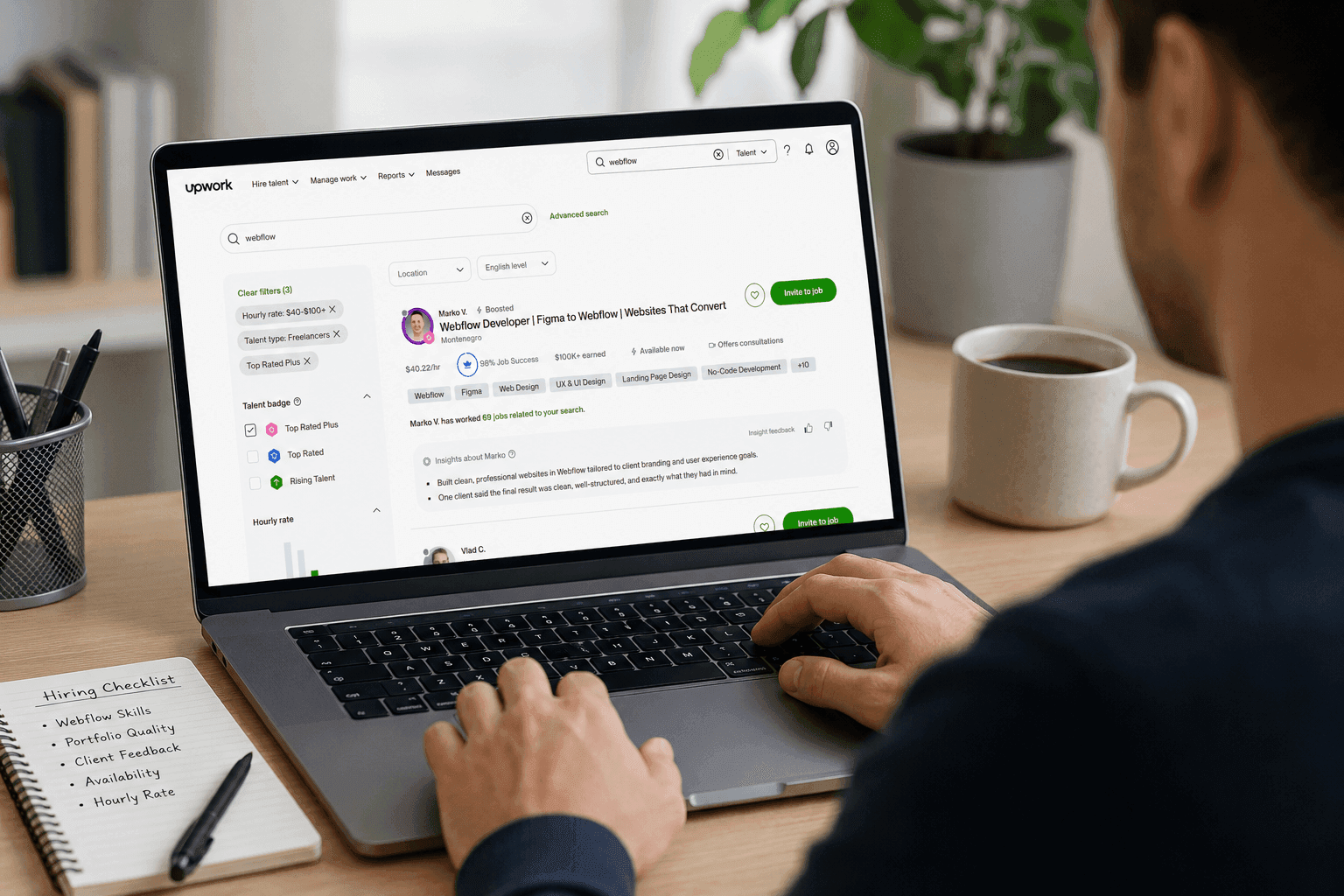
General job boards like Indeed and LinkedIn are useful for broad reach, but a significant portion of Webflow developers spend their time in Webflow-specific communities. Posting on a dedicated Webflow job board like Flowroles puts your listing in front of professionals who have opted into the Webflow talent ecosystem, meaning higher relevance and a better signal-to-noise ratio in your applicant pool.
Supplement with a post in the Webflow Forum job section and in relevant communities on LinkedIn and Slack, but start with a platform where the audience is already Webflow-qualified.
When applications start coming in, your primary filter is the portfolio. Every credible Webflow developer has one: either on their personal site, on Read.cv, or as a shared Webflow staging URL. Look for projects that are similar in complexity to what you're hiring for.
Questions to ask when reviewing a portfolio: Can you see Webflow-specific work, or is this generic web design? Does the work look polished on mobile? Is there any evidence of CMS-driven content or custom code? Does the person explain their process or just show the output?
Reject applicants without a portfolio unless there's a very compelling reason to continue. A developer who can't show you what they've built has either built very little or doesn't value their own work enough to present it: neither is a good sign.
After reviewing portfolios, shortlist four to six candidates for a 30-minute technical conversation. The goal isn't to quiz them: it's to understand how they think about Webflow problems.
Ask them to walk you through a project in their portfolio. What were the constraints? How did they approach the CMS structure? What would they do differently? How would they handle X scenario that's relevant to your project?
Good Webflow developers talk about trade-offs, edge cases, and decisions made, not just what they built. Listen for that specificity.
For roles beyond a short freelance gig, a paid test project is the most reliable signal of fit. Not a free skills test: a paid, scoped piece of real work that reflects the actual role.
It might be: rebuilding a section of an existing page in Webflow given a Figma design, setting up a simple CMS collection with specific requirements, or fixing a specific performance issue on a staging site. Budget two to four hours of their time, pay at a fair rate, and evaluate the output, not just technically, but in terms of communication and process.
The candidate who delivers exactly what was asked, communicates clearly throughout, and asks the right clarifying questions at the start is almost always the one who will perform well on the actual job.
Good Webflow developers are in demand. If you've found a strong candidate, move quickly. A hiring process that drags past four to six weeks after first contact loses candidates to faster-moving companies.
When you make the offer, be specific: the rate or salary, start date, hours, who they'll be reporting to, and what the first 30 days will look like. Clarity at the offer stage reduces the chance of misaligned expectations once they start.
Hiring on price alone: The cheapest Webflow developer is often the most expensive in the long run when you factor in rework, delays, and the cost of rehiring. Webflow is a platform where quality differences are significant and visible.
Skipping the technical screen: A polished portfolio and a confident interview don't guarantee Webflow competence. The test project reveals real-world capability that nothing else does.
Posting only on generalist platforms: If you post your Webflow role only on LinkedIn or Indeed, you're competing for attention against thousands of other listings and missing the concentrated Webflow talent pools on specialist platforms.
Writing a requirements list instead of a role description: A job description that's a 20-point checklist of desired skills reads as unrealistic and deters strong candidates who don't tick every box. Focus on what matters most.
Hiring a Webflow developer well is a process, not a series of shortcuts. Companies that define the role clearly, post where the talent actually is, screen thoughtfully, and move decisively consistently make better hires in less time than those who rush or cut corners.
The investment in getting this right pays back significantly: a strong Webflow developer can move faster, produce better work, and require far less management than a mediocre one, regardless of what either costs.
Post your Webflow developer job on Flowroles and reach Webflow professionals actively looking for their next role. The dedicated Webflow job board, not a generalist platform.